
The Same Dollar Can Belong to Three Different Channels
Publishers often ask which traffic source earns the most, and the answer depends on a choice that most reports hide: how credit is assigned. A single reader can arrive from search, return from a newsletter, and come back later by typing your address, and every one of those visits produces ad revenue. Whether that revenue is credited to search, to email, to direct traffic, or to a specific article depends on the lens you use. This article follows one hypothetical reader and applies three lenses to the same earnings so you can see how the story changes. All figures are illustrative and chosen for simple arithmetic.
What Google Analytics Counts as Ad Revenue
When you link your AdSense account to a Google Analytics 4 property, AdSense data appears in the Monetization, Publisher ads report and in Explorations. Google documents a total ad revenue metric, which sums AdSense revenue and other ad revenue, along with publisher ad impressions, publisher ad clicks, and ad unit exposure. Dimensions include ad format, ad source, ad unit, and page path. Total ad revenue also feeds into the broader total revenue metric, which combines purchases, subscriptions, and ad revenue. If you want the setup and the business questions this data can answer, start with our guide to what your GA4 and AdSense data can finally answer. This article assumes the link is active and focuses on the credit problem.
Scope Decides Who Gets Credit
GA4 organizes traffic source dimensions by scope. User scoped dimensions, which carry the prefix first user, point back to how a person first arrived. Session scoped dimensions describe how each individual visit began. Event scoped views are where the configurable reporting attribution model applies. GA4 currently offers a short list of attribution models, with data-driven as the default, and those models are designed to distribute credit for key events such as sign ups or purchases. For plain ad revenue, the choice that usually matters most is the scope of the traffic dimension you pair with the revenue metric. Product features and labels change, so confirm the details in your own property.
The Journey: One Reader, Three Visits
Imagine a reader who visits three times. On the first visit, they arrive from organic search on Article A, and the session earns three cents. A few days later they click a link in your newsletter and read Article B and Article C, earning five cents, four from Article B and one from Article C. Later they type your address directly and read Article A again, earning two cents. The reader's total is ten cents across three sessions, three channels, and three articles. Now we apply the lenses.
Session Source
The session lens credits each visit to the channel that started it. Organic search gets three cents, email gets five cents, and direct gets two cents. Email earns half of the total, search earns thirty percent, and direct earns twenty percent. This lens answers the question of what produced revenue in a given period. It is the one most traffic acquisition reports use by default, so it is the easiest to read, and it suits questions such as which channels are bringing earning sessions this month.
First User Source
The first user lens credits all of the reader's revenue to the channel that originally brought them to the site. Organic search receives all ten cents, while email and direct receive nothing. This lens answers a different question: which channels bring in readers who turn out to be valuable over time. It is the right lens for judging acquisition, but it shifts credit away from channels that bring returning readers back. In this example, the newsletter produced half of the revenue and still looks worthless, and the direct visit that completed the journey disappears entirely.
Page Path
The content lens ignores channels and credits revenue to the page where the ad appeared. Article A earns five cents across two sessions, Article B earns four, and Article C earns one. This lens answers which content earns, and it is the one to use when deciding what to update, expand, or promote. It also exposes something the channel lenses cannot, which is that Article A earned money from two different channels, so its value does not belong to search alone.
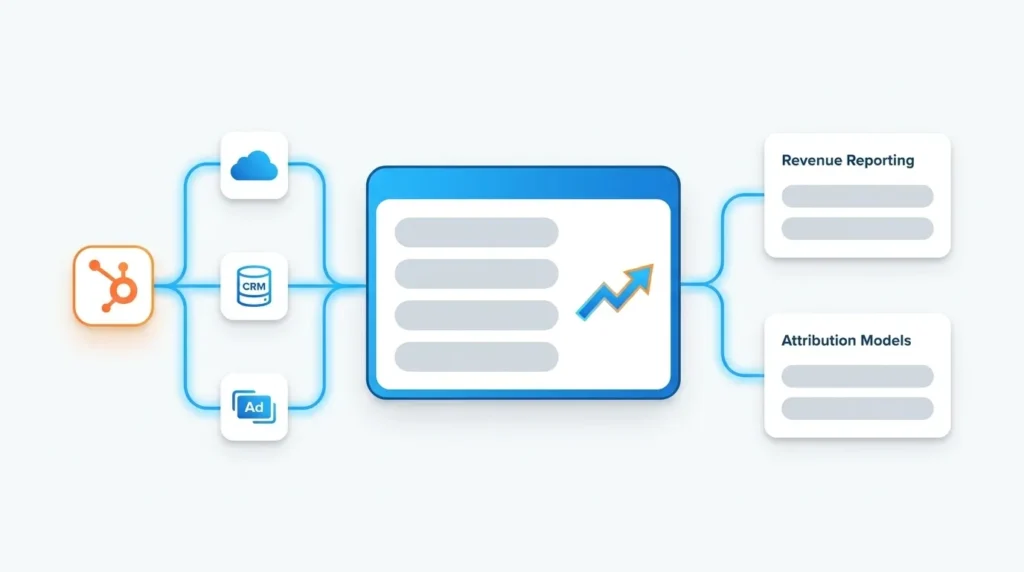
What the Lenses Disagree About
Placed side by side, the numbers differ sharply. Search receives thirty percent in the session lens and one hundred percent in the first user lens. Email receives fifty percent in the session lens and zero in the first user lens. Direct receives twenty percent and zero. None of these is wrong. Each answers a different question. A publisher who reads only the first user view might cut newsletter work, while one who reads only the session view might overlook the role of search in finding new readers. The mistake is not choosing a lens. It is forgetting that a lens was chosen.
A Fourth Lens You Can Build Yourself
If you want shared credit, you can calculate it manually by splitting the reader's revenue among the channels that touched them. A simple equal split gives each of the three channels about three and a third cents. GA4 does not offer this for ad revenue in standard reports, so you would build it in a spreadsheet or in an export of your data. Use it as a thinking tool, since it shows how much credit moves when you stop assigning all of it to a single touch. It also relies on being able to link visits to the same person, which has limits.
Choosing a Lens for Real Decisions
Match the lens to the decision. For judging which channels to invest in for audience growth, look at first user source alongside session source. For understanding what earned last week, use session source. For deciding which articles to refresh, use page path, and consider splitting by channel to see whether an article depends on one source. When two lenses point in opposite directions, treat that as a prompt to investigate, not a contradiction to resolve by picking the one you prefer.
Data Quality Checks Before You Trust Any Lens
Check the basics before you act on a report. GA4's AdSense integration covers AdSense for content ad units, so other products and formats may not appear. Ad blockers and privacy tools can prevent either the analytics tag or the ad code from running, so the two systems will not agree exactly. Consent settings can also reduce the data collected in some regions. Treat AdSense as the official record of earnings and payments, and use GA4 for patterns and comparisons. Review a full month or more of data before drawing conclusions, since daily revenue varies with seasons and advertiser budgets. For the reasons visitor location changes earnings, see our explanation of why RPM varies so much by country.
Common Misreadings to Avoid
Do not mix scopes in a single analysis without noticing, such as a session based channel next to a first user based metric. Do not compare a recent first user report with an older one without allowing for the fact that revenue from first time visitors accumulates over weeks as they return. Do not treat the direct channel as a source in its own right, since it often contains visits whose origin is unknown. Do not change several things at once and then credit the outcome to a single channel.
A Simple Habit for Better Attribution
Pick the question first, then choose the lens, then state both in your notes. A line such as session source, last thirty days, tells your future self exactly what a number means. Over time, a small set of consistent reports will tell you more than a clever model, and you will make better decisions about content, channels, and effort because you know whose dollar you are counting.